 CueCatch
Custom HTML
Use custom HTML content within survey elements.
All text elements within a screen (header, description, footer), a page (header, description, footer), and a block (title, subtitle, description, footnote) support custom HTML, enabling a wide range of customization:
- Enhanced Formatting: Modify font size, color, or add emphasis using HTML tags.
- Embedding Media: Incorporate images, videos, or audio files to enrich the user experience.
- Interactive Elements: Add links to privacy statements or cookie policies.
CueCatch uses specific 'html' keys for custom content:
htmlHeaderhtmlDescriptionhtmlFooterhtmlTitlehtmlSubtitlehtmlFootnote
For a detailed list of keys applicable to screens, pages, and blocks, please refer to the Data Models section in the documentation.
Warning
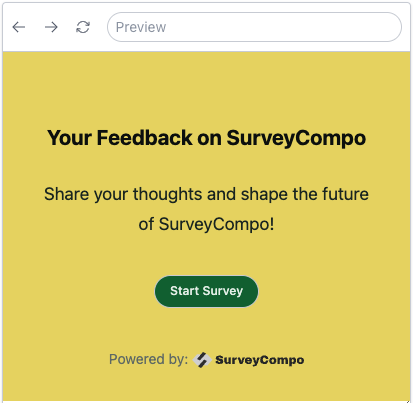
Ensure that you use correct HTML syntax and prioritize security. Be cautious not to include code from untrusted sources or user input, as it could potentially introduce security risks.The following example demonstrates how to use HTML to add a logo to the start screen:
json
{
    /* ... */
    "css": "#mylogo { width: 10em; display: inline; color: red}",
    "startScreens": [
      {
        "header": "Your Feedback on CueCatch",
        "description": "Share your thoughts and shape the future of CueCatch!",
        "okButtonLabel": "Start Survey"
      }
    ]
}
Tip: Applying CSS to Custom HTML Elements
You can apply CSS rules to custom HTML elements using thecss key or